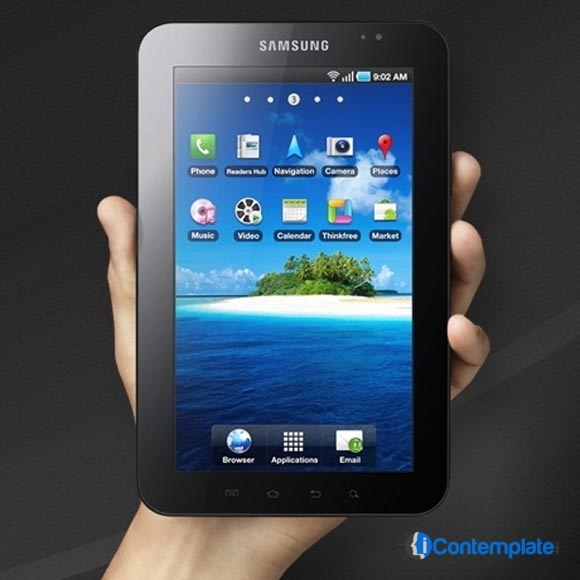
<p style="text-align: justify;">In the 2013, Samsung showed the world a new innovation in the world of Android devices the functionality of multi window in the smartphones and recently it was reached to the Samsung tablets, for example the Samsung Galaxy Tab S and S2. Rather than the smartphones, this functionality is suitable for the tablets instead, and soon it would also be seen in the upcoming Samsung Galaxy Tab 5.</p>
<p style="text-align: justify;">If we talk about the functionality of multi-window in the android, using this you can open two instances of the same application on two different windows, which is useful to review two text documents spreadsheets or two at a time, and you can also move data between windows of certain applications. The process of adding windows on the screen can be somewhat laborious and the result is lost as soon as we open a full screen application. Luckily Samsung has added the ability to save groups of windows so that we can restore your saved windows quickly later. Although the possibility of multi-tasking on the tablet sounds interesting and resolution of Galaxy Tab S 10.5 provides that it can be carried out, in our opinion is much more comfortable working with multiple tasks on a conventional computer with Windows or Mac OS X. And yes it could be better with the time, and yes the Samsung Galaxy Tab 5 is also a good option.</p>
<p style="text-align: justify;">As mentioned about the Galaxy Tab S, which luckily also incorporates the Toolbox we saw in the Galaxy S5. This functionality allows a semi-transparent floating toolbar with direct access to the applications they use. In addition to the features described, Samsung incorporates many others we&#8217;ve seen on other devices of the brand. For example, Screen Mirroring allows the screen of your tablet is displayed at once on another device such as a TV wirelessly via Wi-Fi. This was absence in the previous Samsung tab, so Samsung may bet this on the upcoming Samsung Galaxy Tab 5. Another good application to mention is the SideSync that allows to remotely managing a Samsung phone from screen of the tablet via Wi-Fi network. The new tab will also offer functions to control the tablet by movements of the palm of the hand to capture the screen or mute / stop sounds. This could be described as the interesting features of the tab.</p>
<p style="text-align: justify;">The front camera can also be used to control the tablet: Stay Smart stays on the screen whenever we are watching, Smart Rotation rotates the screen depending on the orientation of the face, and Smart Pause for video playback when it detects that no look at the screen. Lock mode lets you select which messages (notifications and / or alarms) are disabled in some hours for the tablet does not bother us if we sleep with it. So, be ready to explore the amazing world of Samsung Galaxy Tab 5 very soon.</p>

Samsung Galaxy Tab 5 Would Feature The Multi Window Functionality