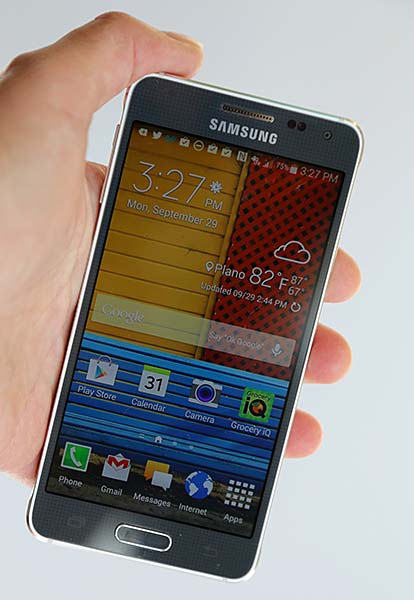
<p style="text-align: justify;">Samsung Galaxy Alpha a unique phone from Samsung carrying octa-core processor and everything you need in a smartphone. Specially metal design and frame.</p>
<p style="text-align: justify;">If the iPhone 5S in Geekbench earns 2,543 points from its two cores processor and 1406 points with a single processor, the Samsung Galaxy Alpha beat its rival apple on the first test &#8211; got parrots 3078, but lost the battle in single-core test, received 940 points. The second thing that can draw attention, so it&#8217;s to support LTE Category 6, which in theory should be capable of transmitting data at speeds up to 300 megabits per second for incoming traffic and up to 50 Mbit / s for outgoing. In general, the lack of performance experience will not work. Interface and a proprietary shell fly, applications run instantly, and pictures are even faster.</p>
<p style="text-align: justify;">As for the main camera Samsung uses a 12-mp matrix that can take pictures at a maximum resolution 4608 x 2592 pixels. There is a sea of ​​different settings, which in principle corresponds to the policy if Samsung. We have an abundance of options, but we still take the basic and most interesting. From the settings you can activate the image stabilization, HDR-effect, face detection, one-touch recording and many other chips. You would like how the function HDR works in Alpha. With strong shadows or backlit setting really makes a difference.</p>
<p style="text-align: justify;">Through Wi-Fi Direct, you can connect to another device and use it as a remote display viewfinder for snapshots, which is an interesting functionality. Of shooting modes to choose from available retouching function, virtual tour, photographing from two cameras simultaneously, create panoramas and other features, which if you wish you can download yourself. The photo quality is very good. When daylight is no problem with auto-focus and blurred images are not produced.</p>
<p style="text-align: justify;">In the nighttime shooting images appear all the flaws of the camera. In this respect photo module of Galaxy Alpha does not go to any comparison with the Galaxy S5, macro smartphone removes very beautiful. Autofocus works about five inches from the object and can get pretty interesting shots. The front camera of 2.1 MP is capable of capturing pictures with a resolution of 1920 x 1080 pixels. Video sensor records a similar resolution. If you need a more advanced phone cam, check samsung galaxy s7 camera.</p>
<p style="text-align: justify;">Both cameras can be controlled by voice. The latter is particularly important for selfies, but in a noisy place and have to get the hand to press the shutter button on the screen. By the way, it can be reassigned to the volume key and thus do not reach for the touch-sensitive surface of the screen to take a picture. Maximum resolution in which the device can shoot video is 3840 x 2160 pixels at 30 frames per second. However, when viewing details on the PC for this number of points in the frame is not enough, although on the smartphone screen, everything looks fine. In the options you can set the camera mode Slo-Mo, that is, when the video is slowed down 8 times.</p>
<p style="text-align: justify;">But story won’t end that easy Samsung will show more innovation soon may be in form of Samsung Galaxy Note 5.</p>

Samsung Galaxy Alpha: Overview