<p style="text-align: justify;" align="justify">For music lovers out there, it is now very easy for you to have your own playlist in your computer, cellphone and in your laptop. This is one of the innovations in music that is available in all parts of the world.</p>
<p style="text-align: justify;" align="justify">Now, if you are one of those people who have been downloading songs for years already, there is a need to do some cleaning and repair in your music library. You may think that there is nothing wrong and you do not need any repair. However, there are some things that should already be deleted and taken away from your music playlist. And some changes have to be imposed in order for it to have some space to breathe.</p>
<p style="text-align: justify;" align="justify">There are different reasons why you need to repair or to clean your music library. First, you need to create a space where you can put new music that you want to download. As you can see, you have been downloading songs for years now. It only means that there are different songs that you no longer want to hear because it is already outdated. Second, you surely do not want to see your playlist as a jungle where it is hard for you to find the song that you want because it is full and overflowing.</p>
<p style="text-align: justify;" align="justify">Here are some of the different tips that you can consider when you are going to clean up and do some repair in your music library:</p>
<h3 style="text-align: justify;" align="justify"><b>Start by Deleting</b></h3>
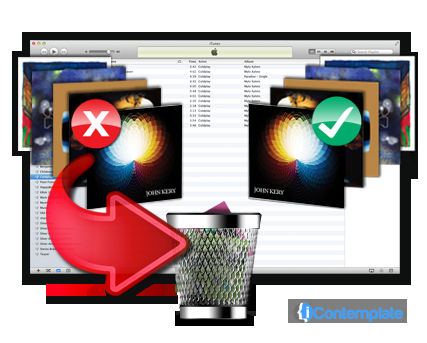
<p style="text-align: justify;" align="justify">One of the most basic steps that you should consider when you are going to repair your music library is to delete the songs that you do not like. Sort out and erase the old songs that you no longer want to be part of your playlist. This is also one of the best ways for you to pave way for new songs. This is the first step to iTunes cleanup. This initial step is very important. Another thing that should also be considered here is erasing or eliminating the duplicated songs. With the years that you have spent downloading songs, there is a great possibility that many songs have already been duplicated. There are also applications that can make this task easier for you.</p>
<h3 style="text-align: justify;" align="justify"><b>Work on the Metadata</b></h3>
<p style="text-align: justify;" align="justify">Another thing that you should do is to clean up the metadata. This is one important aspect in the cleaning up and the repair. There are other software programs that can be useful for this. But for some playlists and music libraries, there are built in programs that can clean up and repair the metadata.</p>
<h3 style="text-align: justify;" align="justify"><b>Sync your Music</b></h3>
<p style="text-align: justify;" align="justify">Now that you have already cleaned up and successfully repaired your music library, you can now sync it to the other gadgets where you are storing your songs. This is after you have successfully worked in organizing the playlist. There are software programs called iTunes organizers that can help you with this.</p>
<p style="text-align: justify;" align="justify">With the different demands that are rising from the computer users, it is very important for you to know the best service or software that you will be using. You will find a lot of providers from different sources. The best way for you to determine the best one that you should get is to check the features.</p>

Repair Your Music Library At A Single Tick