<p style="text-align: justify;">Do you want a backup software that is affordable yet powerful? To be able to reliably and securely backup any of your crucial data and protect it in a safe way? Able to clone operating system windows 7 very easily and so simple to use with intuitive step-by-step?</p>
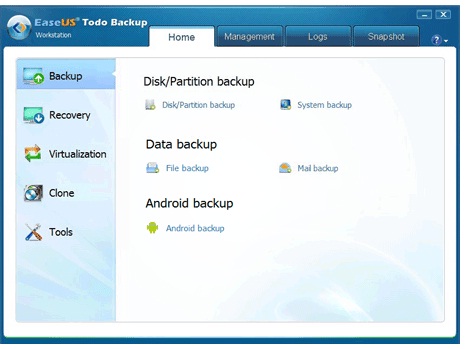
<p style="text-align: justify;">With EaseUS Todo Backup Workstation that is also available as a free download, you can have all the above and so much more. It is an advanced and reliable data backup &; system disaster recovery software for home office and business desktops and laptops. It enables users to perform self-service backup operation with comprehensive full/differential/incremental backup.</p>
<p style="text-align: justify;">Imagine the headache and the long hours of backing up your data and the many steps that are required to be performed before a backup can be completed. Now you can easily backup your data as easy as 1-2-3. That is how powerful EaseUS Todo Backup is.</p>
<p style="text-align: justify;">There are so many features for backup where we have System Backup which is a full system protection allows you to easily back up and recover your entire operating system when disaster happens. Then with block-level Disk Imaging that quickly and efficiently backs up the entire disk or volumes. Or with the File Backup, you can specify the files, folders or file types.</p>
<p style="text-align: justify;">Using the Hot Backup feature of the EaseUS Todo Backup, it allows for backing up specific files and volumes without interrupting any current operations, especially for open files backup. Under the Incremental and Differential Backup, you now backup only the changes that was made since the previous backup which saves you previous time and storage space. With the flexible Schedule Backup, it can now be run either on daily, weekly, monthly or during a particular event.</p>
<p style="text-align: justify;">EaseUS Todo Backup also have lots of recovery features which are very useful such as to clone operating system windows 7. With the System Restore, it can quickly recover your entire Windows system backup in minutes to the original or new location using a Linux or WinPE bootable media. With Restore System to Dissimilar Hardware, you can now make it bootable in a new or dissimilar hardware environment without having to reinstall your operating system.</p>
<p style="text-align: justify;">With Flexible Disk Restore, you can quickly restore and recover granular files, folders, volumes, or all from a single disk image. Then with Selective File Restore, it allows for recovering of individual files and folders from a file backup image without restoring an entire image. Also having to clone operating system windows 7 especially if you have just upgraded your hard disk to a bigger drive or a faster solid state drive. Or else if your system is not able to boot, it has the Pre-OS Recovery Environment feature that can be launched from the boot menu to be able to perform recovery of your system.</p>
<p style="text-align: justify;">The EaseUS Todo Backup download is available as a 15-days free trial or can be bought for $39 for a single user license. It comes with a 30 days money back guarantee so you can try it risk-free. It is very value for money and allows you to easily clone operating system windows 7 without having to waste time to reinstall a new operating system.</p>

How To Clone Operating System Windows 7?