<p><strong>Another Free Training Lesson</strong><br />
VMware, Inc is a cloud and Virtualization software company located in California, USA operated by the ECM Corporation since 2004.VMware technology products include desktop, enterprise and other software products which are briefly discussed in this article.<br />
<strong>1. Desktop Technology Products:</strong><br />
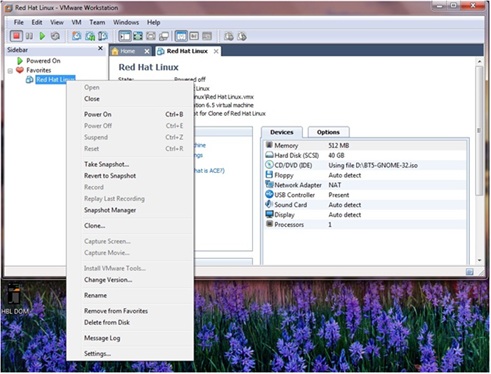
The first desktop product which was introduced by VMware was VMware workstation in 1999; the platform allows the user to setup many instances of virtual machines on a single host machine. There are currently twelve VMware workstation version namely version 1.0, 3.0, 3.1, 4.0, 4.5, 5.0, 5.5, 6.0, 6.5, 7.0, 8.0, 9.0.<br />
For Macintosh systems a product introduced by VMware is VMware Fusion. Like any VMware product, it also permits operating system like Windows or Solaris based virtual machines to be set up on Intel-based Mac hardware. It has many versions from 1.0 to 5.0.2 which has specific system requirements to run on Mac systems.<br />
VMware Player is another free software product initially with the aim not to create virtual machine but after version 3 this restriction has been removed. This product has better graphics &; optimized performance features.<br />
<strong>2. Server Technology Products:</strong><br />
VMware ESX is a server software product providing better performance than the freeware VMware Server. It has its own architecture e.g. micro kernel which means it can be run directly on the server hardware without the need of an operating system. All versions prior to ESXi 4.1 had RedHad (Linux based) management console and used to support Linux CLI commands. VMware vCenter is integerated with this product which provides additional services like VMotion, Storage VMotion, Distributed Resource Scheduler and High Availability to improve the reliability as well as manageability of a server deployment. VMotion is just like a movement or transfer of one virtual machine between two different ESX hosts.<br />
VMware ESXi is somewhat related to ESX, but it does not have a service console and is replaced with a minimal BusyBox installation (UNIX tools in a single executable). VMware ESXi is a compact version of VMware ESX as space needed for disk is smaller than for ESX and the primary storage memory impact is decreased by utilizing a memory over commitment. ESXi is designed to operate from flash disks in servers however may be operated from standard disks. VMware ESXi hosts can&#8217;t be controlled instantly from the console; most administrations are done by means of a Virtual Center Server. It is offered as a free download from the website but some options are not provided. There are two categories of ESXi, one is VMware ESXi Installable and another is VMware ESXi Embedded Edition. There are currently 3.5 to 5.1 versions of VMware ESXi released in the market.</p>
<h5>Featured images:</h5>
<ul>
<li> <span class="license">License: Image author owned</span></li>
</ul>
<p>J sachin relocated to the United States 15 years ago. He is a VMware training consultant and is married with 4 children. This article is courtesy of vmwarecertifiedprofessional.com</p>

VMware & Its Technology: Another Free Training Lesson