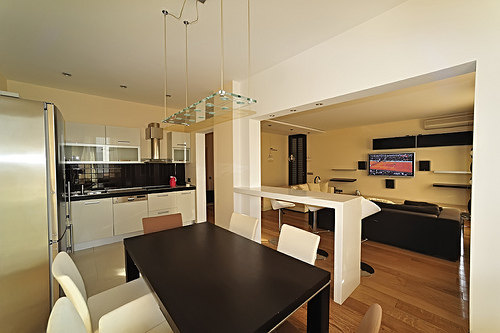
<p>Got a new home you can’t wait to decorate? Or tired of your house’s old look? Then it’s time to do some interior decorating on your home to give it the pizzazz it needs. So what do you do? If you don’t know much about decorating and interior design, don’t worry there’s an app for that!<br />
The best thing about these apps is they’re all free. So you can easily download them and you instantly get apps to help make decorating a lot easier for you.</p>
<h3><strong>1. Palettes</strong></h3>
<p>Have you ever seen something at the park or at an art gallery and thought “That colour would be great to use for my room?” or “I hope I can find a sofa with that colour. It would work perfectly for the theme I’m creating for my living room.” Then you go to your designer and describe the colour but they can’t quite figure out what you mean.<br />
Well, from now on there’ll be none of this. Get the Palettes app so you can easily take a photo of anything, grab its colours and create a colour palette out of it. You can then easily show the colour schemes to your designer to get you the perfect colour.</p>
<h3><strong>2. Photo Measures</strong></h3>
<p>House dimensions and wall measurements are hard to remember and can even be difficult to jot down. All these can become easy with the Photo Measures app. You can take a photo, zoom in and then put measurements on the appropriate areas. You can then show the photo measures to a contractor or to your designer. With these measures perfectly drawn on the right part of the house, fixtures and furniture will be easy to buy and you’re sure to get one that will fit right in your room.</p>
<h3><strong>3. Virtual Interior Design</strong></h3>
<p>Before, if you wanted to see how furniture would look in your room you’d have to close your eyes and imagine it. Now, you can see it with your own eyes before you purchase it and have it delivered to your home. With the Virtual Interior Design app you can take a photo of a room, then take pictures of the beautiful furniture you want to place in that room. You can then virtually place the item in the simulated room to see how it might look. There’s even a measurement system to give you an idea of what the space would be like with that item in there. Plus you have an option to share your projects over social media.</p>
<h3><strong>4. Evernote, Penultimate</strong></h3>
<p>Organise your notes, photos, lists and audio recordings all in one app – Evernote. If you see a beautiful building which catches your attention, take a photo of it. If you have ideas on what style you want your room to have, take notes and make lists. Then organise these into one notebook you can access in any of your devices. When you’re in front of your designer you easily have your notes ready.<br />
You can also use the Penultimate app, which takes note-taking to another level. With this app you can scribble as you would on an ordinary notebook. The advantage with Penultimate is you can share pages or the whole notebook to friends or your interior designer through PDF formats.</p>
<h3><strong>5. Pinterest</strong></h3>
<p>If you want to get ideas on how you would want to decorate your room, you can download the Pinterest app. Pinterest, if you still don’t know it yet, is a huge archive of snapshots &#8211; of almost everything under the sun. Just search for home design themes and you instantly have a large gallery of interior design ideas you can take inspiration from.<br />
With all of these apps, decorating your home or even your office will be a lot easier. You’ll have everything you need right in your mobile phone or tab. You can easily browse for furniture or home décor online then use these apps to start your project. With all these apps, achieving that Bohemian or Moroccan theme for your house and matching a pearl inlay furniture that works well for your room will be a breeze.<br />
<strong>Featured images:</strong><br />
<span class="license">License: Creative Commons</span><br />
<span class="source">image source</span><br />
<span class="license">License: Image author owned</span><br />
By Debra Wright<br />
Debra Wright is a creative and innovative blogger and online marketing specialist. She uses her wordsmith skills to share her ideas, thoughts, and tips to other people about topics that fascinate her, such as apps for interior design. Follow Debra on twitter @debrawrites&#8230;</p>

Top Free Apps That Make Interior Decorating Projects A Breeze