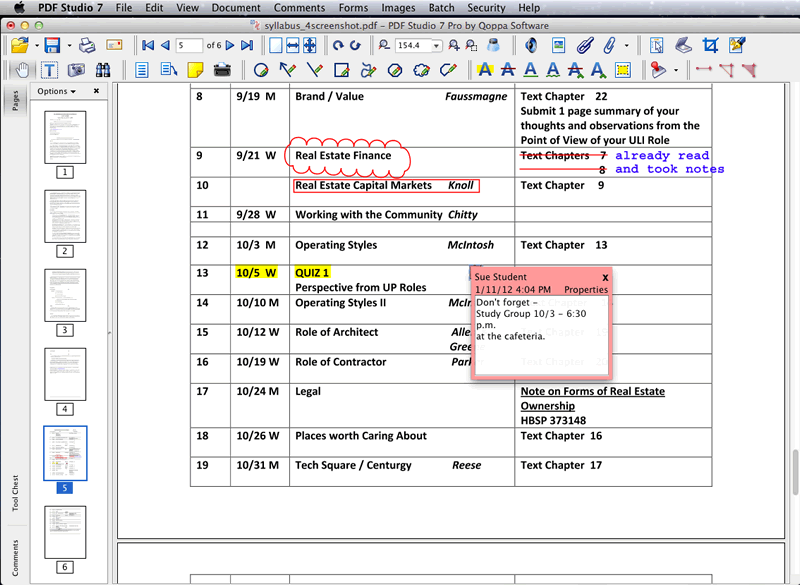
<p style="text-align: justify;">Do you need a Mac OS PDF Editor? I have researched some popular PDF editor tools and this is what I have learned. So what is the best PDF Editor for Mac OS X? Below I will share you top 4 PDF Editors for Mac including 2 free apps and 2 paid apps.</p>
<p style="text-align: justify;">1. <strong>Preview</strong></p>
<p style="text-align: justify;">Preview is a Mac OS X built-in PDF editing application in every Apple Mac computer. It allows you to annotate various PDF files on Mac OS. With Preview, you also can add some texts to the existing PDF document for something as a signature. However, there are some limitations for editing PDF file by using Preview, but for free, and you there is no download requiring. If you are searching for a PDF Editor Mac for free, Preview is a suitable app for you.</p>
<p style="text-align: justify;"><strong>2. Adobe Acrobat Pro</strong></p>
<p style="text-align: justify;">A professional PDF Editor that you will pay much for it, Adobe Acrobat Pro is a powerful PDF Editor and creator program with some featured functions, but it is too expensive. If you need to make a few modifications and editing in your PDF file, spend too much for a PDF Editor may be a huge waste.</p>
<p style="text-align: justify;"><strong>3. iSkysoft PDF Editor</strong></p>
<p style="text-align: justify;">Only $49.95 and the Pro version of iSkysoft PDF Editor is only for $99.95, cheaper than Adobe Acrobat Pro. But with many same functions for editing PDF files, such as editing PDF text, OCR image-based PDF documents, edit scanned PDF file on Mac, merge lots of PDF files, split a large PDF file, rotate PDF pages, and so on. iSkysoft PDF Editor is great and but is much cheaper that Acrobat, if you want to make a little changes, just choose iSkysoft PDF Editor and you will save more. If you are a professional PDF user, get Acrobat, it is not cheap but it is really powerful.</p>
<p style="text-align: justify;"><strong>4. Skim</strong></p>
<p style="text-align: justify;">This is a free tool that works well for quickly adding some notes to a PDF file. However, it has many more limitations to edit PDF file on a Mac if you need more.</p>
<p><strong>About the author:</strong><br />
Tom Brown is a technical content writer and software testing engineer for 5 years. He is well aware of pdf to word converter software for MAC OS. He tested this software and he is well aware of its feature. If any user want to know about this software, he can follow on Google+</p>

Top 4 Mac PDF Editors You Need to Know