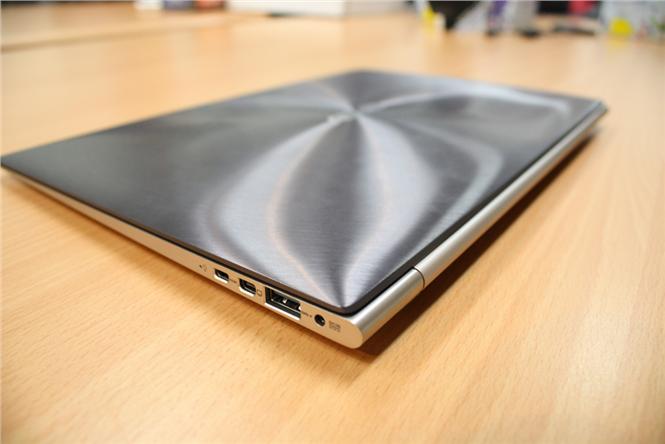
<p>First netbooks, now ultrabooks: If you&#8217;re in the market for a new PC laptop, you may be wondering whether there&#8217;s really a difference between all of these categories. What is an ultrabook and how does it differ from a plain-Jane laptop? Is it more than just a name? There are key differences in specs between laptops and ultrabooks, and some of these considerations may sway you.<br />
<strong>Thickness</strong><br />
Think of an ultrabook like a PCAir instead of a MacAir. Thinner and more streamlined than the clunky PC laptops. If you want a computer you can stick in a pocketbook or backpack, think ultra. .<br />
<strong>Weight</strong><br />
Laptops have a very wide weight range, topping out at 18 pounds at the high end and coming in at 2 pounds at the low end. An 18-pound laptop may not be very portable, but the average laptop certainly weighs less than that. An ultrabook with a 13.3-inch screen size generally weighs 3 pounds, whereas the same size laptop weighs approximately 4 pounds. Depending on how you plan to use the machine, this may be a deciding factor.<br />
<strong>Cost</strong><br />
Without question, baseline ultrabooks are more expensive than their PC counterparts. An ultrabook will run you $600 to $1500, with PCs coming in as low as $300 and as high as $3,000.<br />
<strong>Battery Life</strong><br />
If battery life is key for you, then a laptop would be better. Ultrabook batteries aren&#8217;t replaceable, so when they die, it&#8217;s time for a new computer. You&#8217;ll get an average of 5 hours of use per ultrabook battery. Compare this with high-quality PC batteries that last an average of 10 hours and are replaceable. Of course, not all PC batteries last so long. So-called gaming PCs have an average battery life of one hour.<br />
<strong>Screen Quality</strong><br />
Screen size and resolution, vary by make and model. While a souped-up ultrabook like the Aspire 7 may have a resolution of 1920 x 1080, middle-of-the-road ultrabooks have lower resolutions and less screen clarity. For both types of computers, you get what you pay for in terms of resolution.<br />
<strong>Audio Quality</strong><br />
There&#8217;s no easy way to compare audio across the board. Like screen resolution, you generally get what you pay for.<br />
<strong>Ports</strong><br />
Expect the average laptop to come with at least one USB, firewire, ethernet, memory card, and headphone port. Since ultrabooks are smaller, they mainly have fewer ports than their counterpart laptops. Ports that may be absent from ultrabooks include SD cards, ethernet, HDMI, and VGA. In terms of absence, it&#8217;s worth mentioning that not all ultrabooks will include an optical drive.<br />
<strong>Graphics</strong><br />
The integrated graphics on most ultrabooks are suitable for web browsing and watching television or movies online, but don&#8217;t support hardcore gaming. The average laptop has decent graphics for working and playing online and can handle gaming okay. If gaming or graphic design is a priority, you&#8217;ll want to spend more for a laptop that can display premium resolution and high-quality graphics.<br />
Since so much of the decision comes down to cost and machine specifications, it&#8217;s advisable to do some research at electronics stores. Touch review machine ports and see how the speed and graphics feel when using them. Use your observation time to narrow down your options and decide.<br />
Joseph is a technology buff with a love for writing. In his spare time, he enjoys blogging on behalf of Sears and other brands he uses.</p>

The Laptop Vs. The Ultrabook: What Works for You?