<p>With the availability of many different types of printers in the market today, choosing the right one for your commercial use can be challenging, meaning that you have to think carefully and make important decisions before making a choice. The following are some of the most important factors that you should take into consideration when looking for the right printer. <a name="140822b964ebd41c__GoBack"></a></p>
<h3 style="text-align: justify;"><strong>1. Know What You Need the Printer For</strong></h3>
<p style="text-align: justify;">Knowing what type of documents your printer is intended for is extremely important when making a decision. Do you need a black and white or a coloured printer? Do you need it for printing photos, documents, or both? For businesses, investing on a business inkjet printer, is a clever and economic choice.</p>
<h3 style="text-align: justify;"><strong>2. Speed</strong></h3>
<p>A good functional printer should not only be of high-quality, but should also be able to produce documents at a high speed. Many commercial printers usually have to print large amounts of documents or photos daily and slow printers have the tendency of reducing productivity.</p>
<h3 style="text-align: justify;"><strong>3. Networking Features</strong></h3>
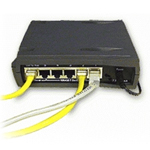
<p style="text-align: justify;"><img class="wp-image-22598 alignright" src="https://haznos.org/wp-content/uploads/2013/08/electronics-inside-computer-orig-ch150.jpg" alt="" width="150" height="150" />If you need to share your printer to work with a number of computers at your commercial premise, for enhanced productivity, it is advisable for you to go for a printer with built-in Ethernet networking features. There are numerous network-ready printers, such as the WorkForce Pro 4015-DN from Epson. Networking a printer helps you in printing large volumes of documents or images from different computers within a short time. In addition, networking a printer helps you in saving money as you do not have to provide each of your computers with an individual printer.</p>
<h3 style="text-align: justify;"><strong>4. Duplexing</strong></h3>
<p style="text-align: justify;">This is one of the most important features you might want to think about when looking for a more advanced and professional printer. Duplexing is an additional feature of a printer to print images or texts on both sides of a sheet of paper. Instead of flipping the sheet of paper manually, the duplexing unit reverses it automatically and prints on both sides. This does not only help in reducing time wastage, but also in saving paper.</p>
<p style="text-align: justify;">Taking the time to do research and establishing your needs and long term requirements will ultimately enable you to save time and money and make your printing experience a lot more enjoyable.</p>
<p style="text-align: justify;"><strong>About Author:</strong></p>
<p style="text-align: justify;">By professional Maria is a hardware and network professional. She is a vast experience person in this industry. She is always preferred to work this high speed printer. Maria has shared her technical knowledge through different internet journal.</p>

Choosing The Right Printer For The Job